Invoices have a way of piling up quietly—until, all at once, they’re everywhere.
One PDF in an inbox. Three scanned copies from a vendor who still lives in 2009. A paper invoice on someone’s desk. Another sitting in accounting limbo because nobody’s quite sure who was supposed to approve it in the first place. And that, honestly, is where a lot of AP teams get stuck: not in some dramatic system failure, but in the slow, grinding mess of too much manual work and not enough visibility.
That’s why accounts payable OCR software has started to matter so much. Not because it sounds flashy. Not because finance leaders woke up one morning craving another software subscription. Because the old way is exhausting. People are tired of keying in invoice numbers by hand, chasing approvals over email, correcting tiny data-entry mistakes that somehow turn into big headaches later. It’s tedious work. Expensive, too. And a little maddening, if we’re being real.
At its core, accounts payable OCR software helps AP teams pull usable data from invoices—whether they come in as scanned documents, emailed attachments, or plain old PDFs—without someone retyping every line item like it’s a punishment from the accounting gods. But that’s only part of the story. The bigger shift, and this is where things get interesting, is OCR AP automation: using captured invoice data to move documents through approvals, validation, coding, and downstream systems with far less human bottlenecking.
Because OCR by itself? Helpful, sure. A step forward. But if your team still has to babysit every invoice after the data is captured, you haven’t really fixed the problem—you’ve just dressed it up a bit.
And that’s the crux of it. Companies aren’t looking for shinier ways to scan invoices. They want fewer delays. Fewer errors. Less paper shuffling, less inbox archaeology, less “Hey, did anyone approve this yet?” floating around on a Tuesday afternoon. They want AP to move faster without becoming sloppier, and they want control without creating even more admin work. Fair enough.
So this article digs into what accounts payable OCR software actually does, where it fits into a modern AP process, and why OCR AP automation is becoming less of a nice-to-have and more of a practical fix for teams that are tired of doing everything the hard way. Not theoretically. In the day-to-day trenches, where invoices keep coming and nobody has time for another workaround.
What Is Accounts Payable OCR Software?
Let’s strip the jargon off for a second.
Accounts payable OCR software is technology that pulls data from invoices automatically, instead of forcing someone on your AP team to squint at a PDF and type everything in by hand. That’s the simple version. The real-world version is a little messier, because invoices show up in all kinds of oddball formats—scanned paper, emailed PDFs, digital files exported from supplier systems, sometimes even documents that look like they were designed on a coffee break in 2006.
And yet, AP still has to process them.
That’s where OCR comes in. OCR—optical character recognition—reads the text on those invoices and turns it into usable data. Not just an image. Not just a file sitting in a folder somewhere. Actual invoice information your team can work with.
What AP OCR Software Typically Captures
A decent system should be able to extract the fields AP teams care about most, the ones that actually keep the process moving. Things like:
- vendor name
- invoice number
- invoice date
- PO number
- line items
- totals
- tax amounts
- payment terms
In other words, the nuts and bolts. The stuff that matters when you’re trying to code an invoice properly, route it for approval, match it to a purchase order, or get it into your ERP without another round of manual entry.
Because that’s the whole point, really. To stop treating invoice processing like a copy-and-paste job with extra stress sprinkled on top.
It Does More Than “Read” a Document
This is where people sometimes undersell the technology. Good AP OCR software doesn’t just scan a document and say, “Yep, that’s text.” That would be nice, I guess, but not especially useful.
What you actually want is software that extracts invoice data in a way that prepares it for the next step. And the next step after that. Maybe approval workflow. Maybe exception handling. Maybe posting into an ERP or accounting system. Maybe all three before lunch.
So yes, OCR reads the invoice. But in a modern AP environment, it also helps structure the data so the invoice can move through the process without somebody constantly stepping in to clean things up. That’s the difference between technology that looks good in a demo and technology that genuinely lightens the load.
Basic OCR vs. OCR AP Automation
This distinction matters more than vendors sometimes admit.
Basic OCR handles capture. It extracts information from the invoice and gives you the data. Useful? Absolutely. But limited.
OCR AP automation goes several steps further. It captures the data, yes, but it also helps validate it, route it, send it into approval workflows, and integrate it with downstream systems like your ERP. That’s a whole different animal.
To put it plainly:
- Basic OCR = capture only
- OCR AP automation = capture + validation + routing + approval + integration
And that second version is where the real operational payoff starts to show up. Otherwise, you’re just speeding up the first 10% of the job and leaving the rest of the mess untouched.
Why OCR Alone Isn’t Enough
Here’s the rub: capturing invoice data is helpful, but it doesn’t magically fix a broken AP process.
If someone still has to manually correct fields, re-key data into another system, email the invoice to an approver, follow up three times, then hunt through shared folders to figure out where the final copy lives… well, the bottleneck is still there. It’s wearing a slightly nicer shirt, that’s all.
That’s why OCR on its own can feel a bit underwhelming. Not bad. Just incomplete.
The biggest gains happen when OCR is tied to workflow automation and ERP integration—when the data doesn’t just get captured, but actually goes somewhere useful without a lot of human nudging. Then AP starts to breathe a little easier. Approvals move faster. Errors drop. Visibility improves. And the team can spend less time playing invoice traffic cop.
Which, frankly, is how it should’ve worked all along.
The Real Cost of Manual Invoice Processing
Manual invoice processing eats up time in all the wrong places—keying data, fixing mistakes, chasing approvals, and hunting down documents that should be easy to find.
It also raises the odds of everyday AP problems: lost or delayed invoices, duplicate payments, incorrect GL coding, stalled approvals when someone is out, and missed early-payment discounts. Those issues add up fast.
In many organizations, manual invoice processing is estimated to cost roughly $11.20 to $30 per invoice, depending on how efficient—or clunky—the process is.
That’s why automation matters: when invoice data capture and workflow are automated together, ACOM positions AP automation as a way to reduce processing costs by more than 75% while reaching 99.8% accuracy. In other words, the real cost of manual AP isn’t just labor—it’s delay, error, and lost control.
How OCR AP Automation Works From Invoice Receipt to Approval
At its best, OCR AP automation takes what used to be a choppy, manual process and turns it into something far smoother. Less stop-and-start. Less inbox chasing. Less “where did this invoice go?” energy.
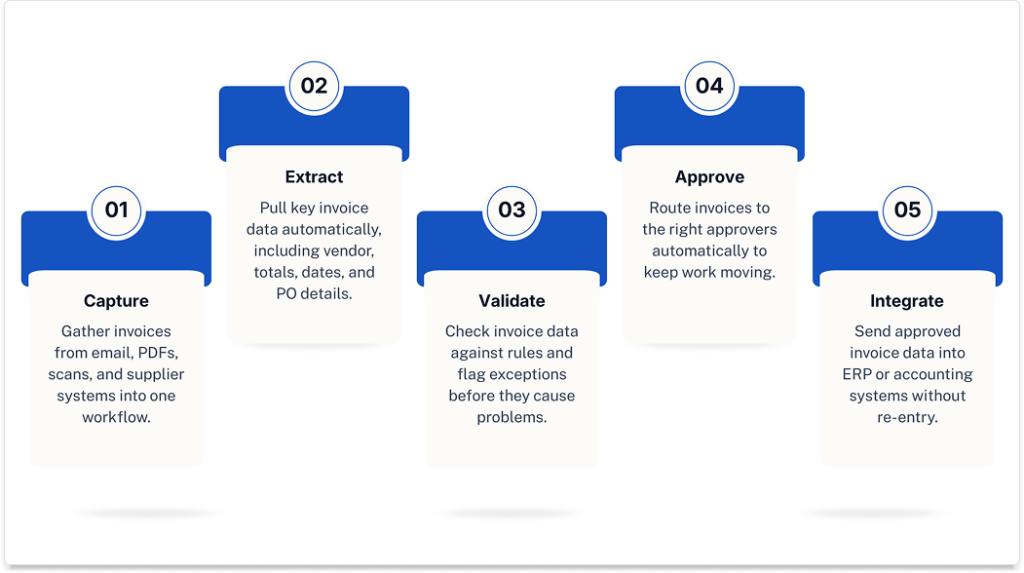
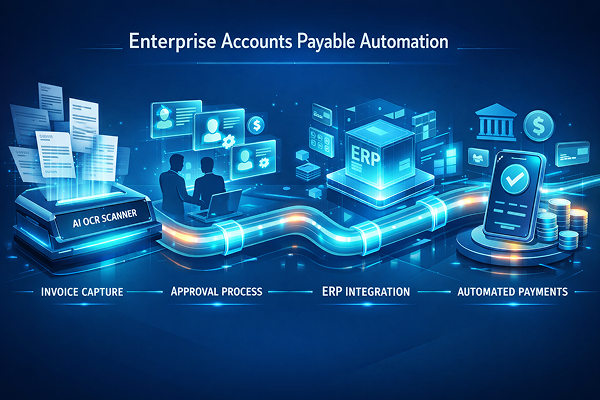
1. Capture invoices from every source
Invoices rarely arrive in one neat, predictable format. They come in as email attachments, PDFs, scanned paper invoices, and supplier-submitted documents from different systems. OCR AP automation pulls those invoices into one process instead of forcing AP to manage them in separate piles.
2. Extract key invoice data automatically
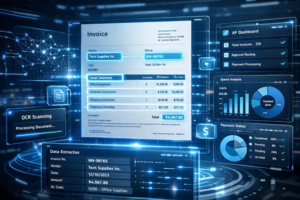
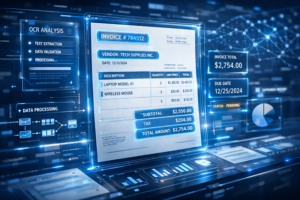
Once the invoice is captured, OCR reads the document and pulls out the important details—header fields and line-level data alike. That usually includes vendor information, invoice number, dates, totals, PO numbers, and other key fields. Just as important, the software standardizes that data so invoices can be handled consistently, even when supplier formats are all over the map.
3. Validate and verify the data
This is where things start to get smarter. The system can check totals, vendors, PO numbers, and business rules to make sure the invoice makes sense before it moves forward. If something looks off, it flags the exception early. That’s a lot better than discovering a problem after payment is already in motion.
4. Route invoices for approval
After validation, the invoice is sent to the right approver based on predefined rules. No more guessing who owns it. No more endless forwarding chains. Automated routing helps cut approval delays and reduces the manual follow-up that eats up so much AP time.
5. Push approved data into ERP or accounting systems
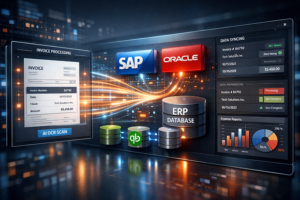
Once approved, the invoice data can flow into ERP or accounting systems automatically. That eliminates duplicate entry, improves visibility, and gives finance teams cleaner reporting. One step leads to the next, which is exactly the point.
That’s the bigger promise of OCR AP automation: capture, approve, pay—with better visibility and a lot less manual effort holding everything together.
Key Business Benefits of Accounts Payable OCR Software
The real value of accounts payable OCR software isn’t that it reads invoices. It’s what happens after that. Faster processing. Fewer mistakes. Less administrative slog.
Faster Invoice Processing
Manual AP processes have a bad habit of dragging out. An invoice comes in, sits in an inbox, gets forwarded, waits for approval, then waits some more. Before long, a simple payment cycle stretches into days—or even weeks. OCR AP automation helps move things along by capturing invoice data quickly and pushing invoices into the right workflow sooner, which shortens the path from receipt to approval and payment.
Lower AP Processing Costs
This is where finance teams usually perk up. When invoice data is captured automatically, AP spends less time on manual keying, paper handling, and digging around for backup documents. That means less wasted effort and better use of staff time. Instead of doing repetitive data-entry work all day, the team can focus on exceptions, supplier issues, and work that actually needs a human brain.
Higher Data Accuracy
Manual entry invites mistakes. It just does. OCR software helps reduce those errors by extracting invoice data automatically and verifying it before it moves downstream. ACOM cites invoice capture accuracy as high as 99.8% when automated extraction and verification are working together, which can make a noticeable difference in day-to-day AP operations.
Better Visibility and Audit Readiness
When invoices move through a digital process, they’re easier to track. AP can see where an invoice stands, who approved it, and what documents are attached without digging through email threads or shared folders. That improves document access, strengthens audit trails, and lowers the risk of invoices getting lost in the shuffle—which, unfortunately, still happens more than anyone likes to admit.
Stronger Supplier Relationships
Suppliers may not care how your AP process works internally, but they absolutely notice when payments are late. Faster approvals and cleaner processing help reduce delays, improve payment timing, and increase the odds of capturing early-payment discounts. And in practice, that usually leads to fewer supplier complaints and better working relationships overall.
What to Look for in OCR Software for Accounts Payable
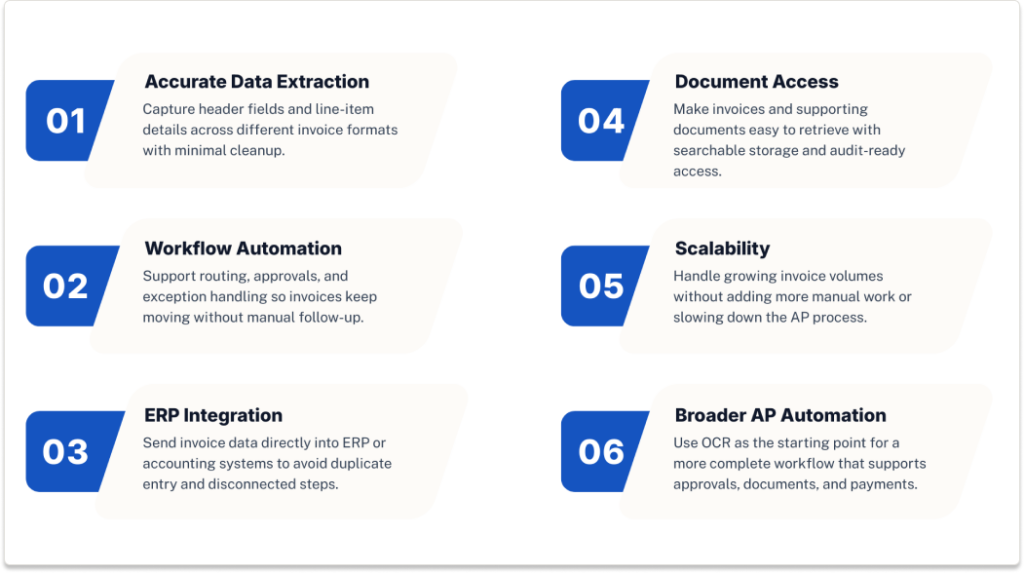
Not all accounts payable OCR software is created equal, and that becomes obvious pretty quickly once you’re actually using it. Some tools capture data well enough but leave the rest of the AP process untouched. Others help automate the workflow around the invoice too, which is usually where the real payoff shows up. So, when evaluating options, here’s the practical checklist.
Accurate Invoice Data Extraction
Start with the basics. The software should capture both header data and line-item details, not just the easy stuff at the top of the invoice. It also needs to handle multiple invoice formats without falling apart every time a supplier changes a layout. If the tool struggles with PDFs, scanned documents, or vendor-specific formats, AP will still end up doing cleanup work by hand.
Workflow Automation Built In
Capture alone isn’t enough. Strong OCR software should also support routing, approvals, and exception handling so invoices can move through the process without constant manual intervention. For companies with distributed teams, mobile or remote access matters too—because approvals tend to stall when they depend on one person being at one desk.
ERP and Accounting Integration
This one’s a big deal. The goal is to remove friction, not create another disconnected layer of work. Invoice data should flow directly into the ERP or accounting systems AP already uses, which helps eliminate duplicate entry and keeps the process from splitting into separate, hard-to-track steps.
Document Management and Audit Trail
Invoices don’t stop mattering after they’re approved. Teams still need to retrieve them later for audits, supplier questions, or internal review. Look for software that makes invoices and supporting documents easy to find through a searchable archive, with secure access and a clear audit trail built in.
Scalability as Invoice Volume Grows
A solution that works for 100 invoices a month may not hold up at 5,000. That’s why scalability matters. As volume grows, the software should keep processing efficiently without forcing AP to add more manual effort just to keep up.
Support for Broader AP Automation
Ideally, OCR should be the front door to a more complete AP process—not a standalone tool sitting off to the side. The best solutions support broader automation across approvals, document management, and even payments, giving finance teams a smoother path from capture to approval to payment. That’s where ACOM fits especially well: combining OCR, workflow, document access, and payment automation in a way that reduces manual effort without making the process more complicated.
OCR vs. Full AP Automation: What’s the Difference?
This is where a lot of buyers get tripped up. OCR and AP automation are related, yes, but they’re not the same thing—not even close.
OCR captures invoice data. That’s its job. It reads the invoice, pulls out the key fields, and turns that information into something usable. Helpful? Absolutely. But on its own, OCR is really just the front end of the process.
AP automation takes that captured data and actually does something with it. It uses the information to drive approvals, coding, document storage, exception handling, and, in many cases, payment workflows too. So instead of simply extracting data, the system helps move the invoice through the rest of the AP cycle with far less manual effort.
Put another way:
OCR only captures data, but AP may still have to route the invoice manually, correct fields, follow up on approvals, and enter the information into downstream systems.
OCR plus AP automation captures, validates, routes, stores, and supports payment workflows—so the manual work is reduced across the whole process, not just at the intake stage.
And that distinction matters because businesses usually get the best ROI when OCR is part of a larger AP workflow strategy. Otherwise, they improve one step while leaving the rest of the bottlenecks intact. ACOM’s approach fits that broader model: reduce labor, improve control, and create a more efficient end-to-end AP process instead of just making invoice capture a little faster.
Who Benefits Most From Accounts Payable OCR Software?
Not every AP team hits the wall in the same way, but some feel the pain a lot sooner than others.
Teams processing a high volume of invoices are obvious candidates. When hundreds—or thousands—of invoices are coming in each month, manual entry starts to buckle under its own weight. The same goes for organizations dealing with invoices from multiple sources and in multiple formats: emailed PDFs, scanned paper documents, supplier files, oddball layouts that never quite match. That kind of variety makes manual processing even clunkier.
Accounts payable OCR software also makes a lot of sense for businesses still leaning heavily on email, PDFs, and paper invoices, or for finance teams constantly stuck in approval delays and document retrieval headaches. If people are spending too much time chasing signatures, forwarding invoices, or digging through folders to find backup, the process is already telling you it needs help.
It’s also a smart fit for companies preparing for broader AP automation. OCR can be the first practical step—the piece that gets invoice data into a usable digital workflow so approvals, document management, and payment automation become much easier to implement.
That’s especially relevant in industries like manufacturing, logistics, and retail, where invoice volume, supplier complexity, and compliance pressure tend to run high. It also fits multi-entity finance teams and organizations working with IBM i or other legacy ERP environments, where the need for automation is real but the system landscape isn’t always simple. In those cases, the right OCR solution doesn’t just speed things up; it helps bridge older processes to a more modern AP operation.
How ACOM Helps Simplify Invoice Capture and AP Automation
At a certain point, most AP teams aren’t looking for another patch. They’re looking for a cleaner way to work.
That’s where ACOM fits. ACOM helps organizations automate invoice capture, cut down on manual data entry, and improve approval workflows without turning the AP process into something more complicated than it already is. OCR is paired with workflow and document management, so invoices don’t just get captured—they move. Faster, with better visibility and more control.
The payoff is practical: lower processing costs, improved accuracy, fewer paper-based delays, and quicker access to invoice records when someone needs them later. Which, in AP, they always do.
Learn more about ACOM invoice OCR software
Conclusion
At the end of the day, accounts payable OCR software helps AP teams get out of the weeds. It replaces slow, error-prone invoice entry with a faster, more consistent way to capture data from PDFs, scanned invoices, and other incoming documents. That alone is useful.
But the bigger gains show up when OCR is part of a broader AP automation strategy. When invoice data can be captured, validated, routed, approved, and pushed into downstream systems without all the usual manual handoffs, the whole process gets lighter. Quicker, too. More scalable. A lot less frustrating, frankly.
For organizations trying to reduce processing costs, improve accuracy, and speed up approvals, OCR AP automation offers a more efficient way forward—one that gives AP better control without piling on more administrative work.