Let’s be honest for a second.
Accounts payable can get messy. Not dramatic-movie messy—just the slow, grinding, everyday kind. Invoices show up everywhere. Email attachments. Paper envelopes. PDFs buried three folders deep. Sometimes even screenshots (yes, that still happens).
And then someone has to deal with all of it.
Usually that means opening invoices one by one, typing numbers into the ERP, forwarding emails for approval, printing documents that were already digital to begin with. It’s not glamorous work. Worse, it’s the kind of work where tiny mistakes—one wrong digit, one duplicated invoice—quietly snowball into real financial problems.
That’s where invoice scanning software enters the picture. Not as some flashy new tech trend, but as a practical fix for a problem most finance teams know far too well.
But we’ll come back to that.
First, a quick reality check.
Most companies think they’re “digital” because invoices arrive as PDFs instead of paper. And sure, that’s an improvement. Yet the actual process behind the scenes? Still very manual. Someone still reads the invoice. Someone still types the data. Someone still hunts through inboxes when a vendor asks, “Hey… did you receive our invoice?”
So digital files alone don’t solve the problem.
What businesses actually need is a way to capture invoices automatically, extract the data, and move them through the AP process without all the manual babysitting. That’s exactly what modern invoice capture software is designed to do.
What Is Invoice Scanning Software?
At its core, invoice scanning software converts incoming invoices—whether paper or digital—into structured, usable data that accounts payable teams can process quickly.
Simple idea. Big impact.
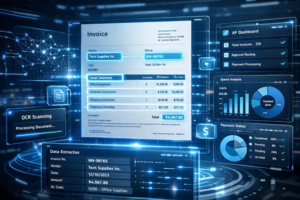
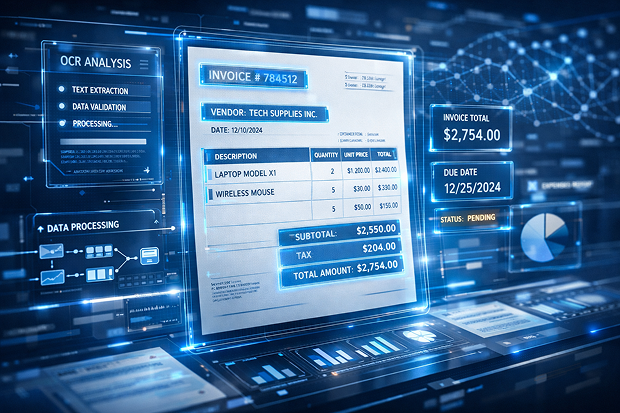
Instead of someone manually reading an invoice and entering the details into an accounting system, the software captures the document, recognizes the important information, and digitizes it automatically. Vendor name. Invoice number. Total amount. Dates. Line items. The works.
It sounds almost mundane when you say it out loud. But the difference it makes? Pretty dramatic.
Picture this: a stack of invoices arrives Monday morning. In the old world, someone would sit down with a keyboard and start typing them in. One by one. Slowly. Coffee helps, but it still takes hours.
With automated invoice scanning, the process flips entirely.
Invoices are scanned or imported. The system extracts the data. And—assuming everything looks correct—it moves straight into the next step of the accounts payable workflow. No retyping. No guesswork. No endless document hunting later.
And here’s the thing people sometimes miss: modern invoice scanning software isn’t just a glorified document scanner.
A basic scanner captures images. That’s it.
A true invoice digitizing solution, on the other hand, does quite a bit more. It:
- Captures invoices from multiple channels (paper, email, PDF uploads, shared folders)
- Extracts structured invoice data
- Validates information and flags errors
- Routes invoices into approval workflows
- Stores documents in a searchable archive
In other words, it transforms invoices from static documents into actionable financial data.
That’s a subtle shift, but an important one.
Invoice Scanning Software vs. Invoice OCR (They’re Related—but Not Identical)
Now here’s where the terminology sometimes gets tangled.
People often use the terms invoice scanning software and invoice OCR interchangeably. And yes, they’re closely related—but they aren’t exactly the same thing.
Think of OCR as the engine under the hood.
OCR (Optical Character Recognition) is the technology that reads text from an invoice image or PDF and converts it into machine-readable data. It’s what allows software to “understand” that a number on the page is an invoice total, not just a random string of digits.
But OCR alone doesn’t solve the whole accounts payable puzzle.
You still need the surrounding system that captures invoices, validates information, routes documents for approval, and stores everything in a way that finance teams can easily retrieve later. That broader platform is what most people mean when they talk about invoice capture software or AP scanning solutions.
So, to simplify it:
- Invoice OCR: extracts text and data from invoices
- Invoice scanning software: captures invoices, processes them, and moves them through AP workflows
One is a capability. The other is the full operational system.
And frankly, businesses usually need both.
Why Basic Invoice Scanners Aren’t Enough Anymore
Let’s talk about something that happens in a lot of companies.
At some point, someone decides to “go paperless.” A scanner gets installed. Documents get digitized. Everyone feels productive for a while.
Then a new problem appears.
Sure, the invoices are scanned now—but they’re still sitting in shared folders or email threads. Someone still has to open each file, read the numbers, and type them into the accounting system manually. The process didn’t disappear. It just moved from paper to screens.
In a strange way, it’s like replacing filing cabinets with digital filing cabinets.
Same work. Different storage.
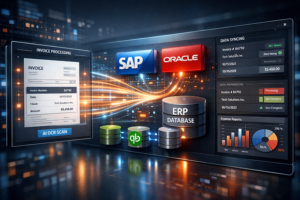
Modern AP scanning solutions go several steps further. Instead of just storing invoice images, they automatically capture invoice data and integrate it with the financial systems companies already use.
Which means accounts payable teams spend less time entering data and more time actually managing cash flow, vendor relationships, and payment timing.
And that matters.
Because as businesses grow, invoice volume grows with them. Ten invoices a week turns into fifty. Then a hundred. Suddenly the AP team feels like it’s playing whack-a-mole with incoming documents.
Without automation, the workload simply doesn’t scale.
With automated invoice scanning, though, the system handles most of the heavy lifting. Invoices get captured, digitized, and routed automatically. Approvals move faster. Data entry errors drop. And AP teams—finally—get a little breathing room.
Not a miracle cure. But close enough on busy Mondays.
Key Features to Look for in the Best Invoice Scanning Software
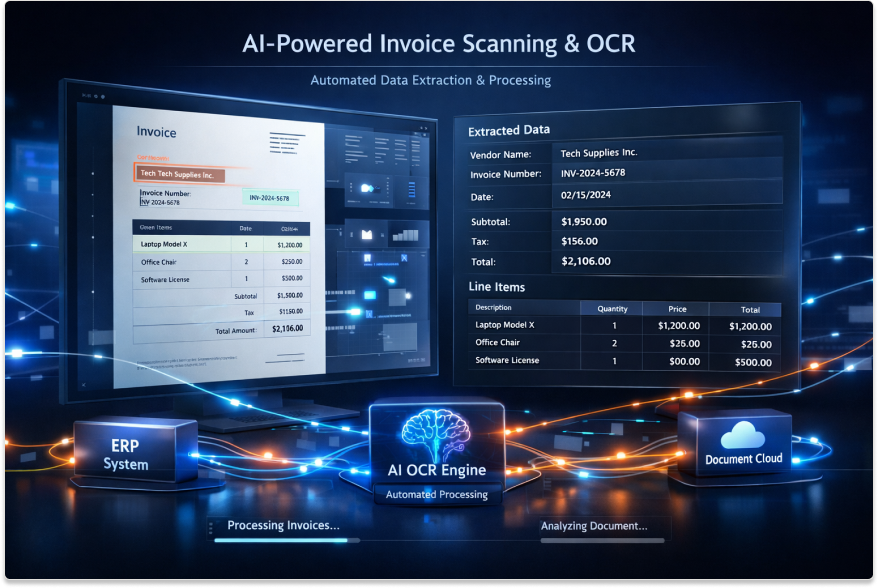
Not all invoice scanning software is created equal. That sounds obvious, I know—but you’d be surprised how many tools still behave like a glorified office copier with a slightly fancier interface.
They scan. They store. And… that’s about it.
Which means the real work still lands on the AP team’s desk.
The best invoice scanning software, on the other hand, does something more interesting. It quietly removes friction from the entire process—capturing invoices wherever they show up, extracting the right data, and pushing them along before anyone has time to sigh and say, “Another one already?”
Let’s unpack the capabilities that actually make a difference.
Multi-channel invoice capture
Invoices are unpredictable creatures. They arrive however vendors feel like sending them that day. Sometimes neatly formatted PDFs. Sometimes scanned images that look like they were faxed from 1998. Occasionally a perfectly normal email… with the invoice pasted into the message body for reasons no one understands.
So good invoice capture software has to be flexible. Almost annoyingly flexible.
It should capture invoices from just about anywhere they appear:
Paper invoices are still out there, believe it or not. A solid system lets teams scan them quickly through office scanners or multifunction printers, automatically feeding them into the digital workflow instead of dumping them into a random shared folder.
Then there are email attachments. A lot of them. Many AP departments live inside a dedicated “[email protected]” inbox that collects vendor invoices like a magnet. Modern systems can monitor that inbox and pull invoices directly from incoming messages without someone downloading them manually.
PDF invoices are common too—whether vendors send them by email or upload them to shared drives. Invoice scanning software should ingest those automatically from network folders or file directories, no human intervention required.
And finally, some invoices originate inside connected systems themselves. That’s where ERP-connected imports come into play, allowing invoice data to flow between business systems without awkward workarounds.
In short, the software shouldn’t care where invoices come from. It should simply capture them.
Built-in OCR and invoice data extraction
Once invoices are captured, the next challenge begins. Because an image of an invoice isn’t very useful by itself. It’s just a picture.
The real magic—if we can call it that—comes from OCR and intelligent data extraction.
This is the technology that reads the document and identifies key information automatically. Vendor names, invoice numbers, dates, totals, purchase order references. All the bits that AP staff would otherwise have to type in manually.
Now, not every system handles this equally well. Some tools recognize text but struggle to interpret structure. A human still has to double-check half the fields.
The better solutions do something smarter. They recognize patterns across invoices, learning where important data usually appears—even when vendor formats differ wildly.
So instead of manually entering information like:
- vendor name
- invoice number
- PO number
- invoice date
- line items
- totals
…the system extracts it automatically.
Is it perfect every single time? Probably not. Let’s be realistic. But when it works well—and increasingly it does—it eliminates a huge chunk of repetitive data entry.
And AP teams suddenly reclaim hours of their week.
Validation and exception handling
Here’s a small truth about invoices: they’re messy.
Numbers get mistyped. Purchase orders don’t match. Duplicate invoices sneak through because someone resent the same document three times. It happens constantly.
Good invoice scanning software doesn’t ignore these issues. It looks for them.
When something seems off—say an invoice total doesn’t match the associated PO, or a critical field is missing—the system flags the problem immediately. Instead of letting errors slip quietly into the accounting system, it stops the process and alerts the right person.
Duplicate detection is another big one. Paying the same invoice twice is more common than finance teams like to admit, especially when multiple copies circulate through email threads. Automated scanning tools can catch those duplicates early, preventing costly mistakes.
And when exceptions do occur, the system routes them to someone who can resolve them. No mystery. No endless forwarding of documents.
Just a clear path to resolution.
Workflow and approval routing
Capturing invoices is only half the story. After all, invoices usually need approval before payment—sometimes from multiple people across departments.
Without automation, this stage becomes painfully slow. Documents get forwarded, printed, or forgotten in someone’s inbox.
That’s where workflow routing changes the dynamic.
A good AP scanning solution automatically sends invoices to the correct approver based on predefined rules. Maybe it’s determined by department, purchase order ownership, or invoice amount. Whatever the logic, the system knows who needs to review it next.
Approvers can review invoices digitally—often from a browser or mobile device—which keeps approvals moving even when teams are remote, traveling, or working across different offices.
No paper shuffling. No lost attachments.
Just forward motion.
Searchable digital archive
Here’s a familiar scenario: a vendor calls asking about an invoice from six months ago. The number sounds vaguely familiar, but no one remembers exactly where it’s stored.
Cue the scavenger hunt.
Someone digs through email threads. Someone else searches the ERP. Eventually—after fifteen minutes of muttered frustration—the document appears.
With a searchable digital archive, that entire episode disappears.
Invoice scanning software stores documents in a centralized repository where they can be retrieved instantly using simple search criteria. Vendor name. Invoice number. Date range. Even keywords pulled from the invoice text.
Audits become easier. Vendor questions get answered faster. Customer service teams stop waiting around for finance to locate documents.
And honestly? That alone can justify the system for some companies.
ERP and accounting system integration
Now here’s a point that’s easy to overlook.
Even the most impressive invoice scanning software loses value if it sits outside the systems finance teams actually use every day.
Integration matters—a lot.
The best solutions connect directly with ERP or accounting platforms, allowing invoice data to move seamlessly between systems. Instead of copying information from one screen to another (a process that’s about as fun as it sounds), captured invoice data flows straight into the accounts payable module.
No duplicate entry. No manual uploads.
Perhaps more importantly, this kind of integration doesn’t require companies to overhaul their entire financial infrastructure. The scanning software adapts to existing processes rather than forcing a disruptive system change.
And finance teams appreciate that more than you might think.
Security, audit trails, and compliance
Finally—and this tends to matter most during audits—there’s the issue of control.
Paper invoices were easy to lock away in filing cabinets. Digital records require more thoughtful safeguards.
Modern invoice digitizing solutions address this with several layers of protection. Role-based access ensures only authorized users can view or modify sensitive financial documents. Retention policies automatically store invoices for required time periods and purge them when appropriate.
Perhaps most important is the audit trail.
Every action—every approval, edit, or routing decision—is recorded. Quietly. Automatically. Which means that when auditors ask how an invoice moved through the organization, the answer is right there in the system history.
Not a guess. Not a reconstructed timeline.
Just a clear record of what happened and when.
The Business Benefits of Automated Invoice Scanning
You know that warm, fuzzy feeling when something boring finally gets fixed? That’s what automated invoice scanning does for AP teams — it takes the grind out of routine work and hands you back time, accuracy, and a lot less hair-pulling. Below’s the straight talk on what actually improves, how, and why it matters to the bottom line (yes, the bean-counters will be pleased).
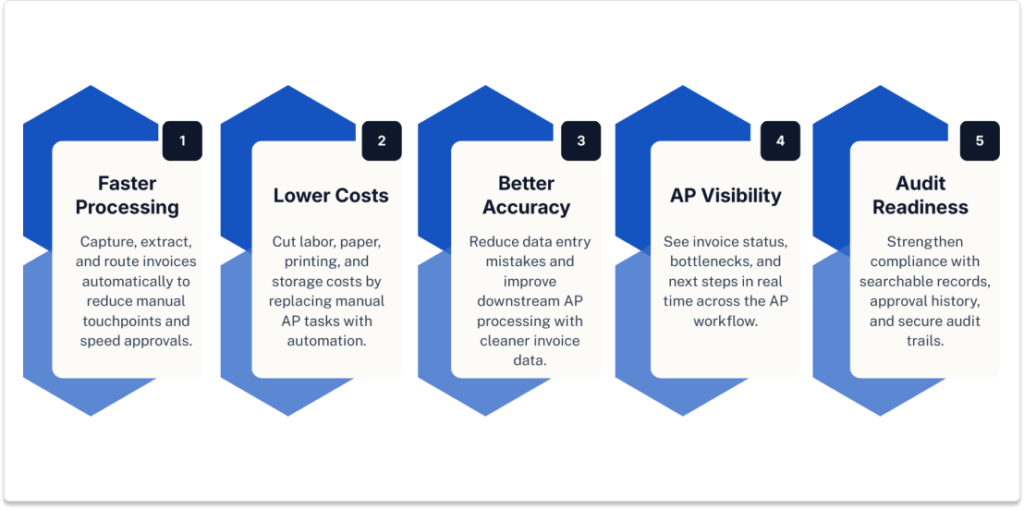
Faster invoice processing
Less clicking. Less waiting. Fewer human touchpoints. When invoices are captured automatically from email, paper, PDFs, or your ERP, the need for manual entry evaporates. The capture + OCR step reads the document and pre-fills fields; validation rules catch obvious mismatches before an invoice ever hits someone’s inbox. Approvals move as rules and routing do their thing — approvers get nudges, mobile approvals happen in seconds, and invoices don’t languish in unopened threads.
So instead of hours of drudgery, you get minutes. Or, in many cases, near real-time throughput. That’s not marketing fluff — it lets finance teams close periods faster and frees staff for actual analysis instead of busywork. I believe that’s worth celebrating. Seriously.
Lower processing costs
Money saved here is predictable money you can plan with. Automated invoice scanning trims the fat in three straightforward ways: less labor, less paper, and less physical storage.
Human data entry is expensive — salaries add up, and so do the errors that create rework. Remove repetitive entry and you cut headcount hours devoted to AP (or let existing people focus on higher-value tasks). Paper and printing costs decline because fewer documents get printed for approvals or filing. Storage? Gone digital and searchable, not stuffed in boxes in a broom closet.
ACOM’s experience shows these savings compound: fewer touches, fewer mistakes, and lower overhead translate into measurable reductions in per-invoice processing cost — often dramatically so. Put another way, your AP function stops being a cost center that eats time and becomes an engine that preserves cash and predictability.
Better accuracy
Manual entry is charmingly human — but also fallible. Transposed digits, missed line items, duplicated invoices… small things that become expensive things. Automated capture dramatically reduces those errors. OCR plus intelligent extraction grabs invoice numbers, totals, and line-level details. Validation compares those figures to POs and master data, flagging inconsistencies immediately.
The result is cleaner downstream processing — fewer exceptions, fewer vendor disputes, smoother reconciliations. Clean data means your ERP posts correct entries, your cash forecasting is more reliable, and your AP team stops acting like firemen and starts acting like analysts. Cleaner books. Less stress. Win-win.
Improved visibility across AP
Visibility is underrated. When you can see exactly where an invoice is — whether it’s in capture, under exception review, or sitting on an approver’s desk — decisions get faster and less fraught. Dashboards show bottlenecks. Notifications show overdue approvals. Filters let managers find invoices by vendor, date, PO, or status in seconds.
That transparency reduces finger-pointing and speeds resolution. Teams know who’s responsible and what to do next. Finance leaders gain a real-time pulse on payables, so cash planning gets realistic instead of hopeful.
Stronger compliance and audit readiness
Auditors love digital trails. Not in a creepy way — in a practical way. Automated scanning systems keep the invoice image, the extracted data, and every approval or edit in a searchable, timestamped trail. Need backup for a payment from last year? Pull it up. Need to show who approved what and when? It’s already logged.
Searchable access to invoices and supporting documents — plus strict role-based access, retention rules, and immutable activity logs — makes audits shorter and less painful. Compliance risk drops because you can demonstrate control, not just assert it. And that’s an operational improvement that shows up when regulators, auditors, or internal compliance teams come knocking.
Little reality-check here: none of this magically fixes every AP problem overnight. But when you combine automated invoice scanning with sound workflows and ERP integration, you get measurable gains — faster processing, lower cost-per-invoice, higher accuracy, and cleaner audits. ACOM’s solutions are built to deliver those exact outcomes (reduced AP costs, improved accuracy, accelerated workflows), so businesses see real, quantifiable returns instead of just prettier PDF folders.
Want the shorthand? Speed. Savings. Accuracy. Visibility. Compliance. Those are the payoffs — and they add up fast.
Who Needs Invoice Capture Software Most?
Short answer: more companies than you’d think. Long answer: anyone who’s tired of chasing invoices, hunting for approvals, or paying staff to do repetitive data entry that a machine could handle—preferably while you do something more interesting (or strategic, or frankly relaxing).
AP teams handling high invoice volume
If your team is processing hundreds — or thousands — of invoices each month, manual entry stops being a task and becomes a full-time job. Paper piles up. Shared inboxes groan under attachments. Errors multiply simply because humans are doing what humans do after the tenth invoice: drift, mistype, and miss things.
Invoice capture software pays for itself here. It slashes the number of manual touchpoints, speeds throughput, and turns a backlog into a steady, predictable flow. In practice, that means fewer fire drills and more time to analyze vendor terms, cash flow, and negotiation opportunities.
Companies still relying on paper or shared inboxes
Paper isn’t dead. Far from it. Many organizations still rely on mailed invoices, printed copies, or a chaotic cluster of email attachments living in one person’s inbox. That’s a brittle process. One staffer on vacation and suddenly invoices pile up.
The right capture solution corrals all those scattered inputs — digitizes, indexes, and centralizes them — so the AP function isn’t hostage to someone’s email habits or a stack of filing boxes in the supply closet. This is often the lowest-hanging fruit: fix the intake, and a surprising amount of friction disappears.
Organizations with distributed approvers
Multi-location businesses, franchises, and companies with remote teams face a particular headache: getting the right person to sign off, quickly. Approvers are on different schedules, in different time zones, sometimes on phones with spotty reception.
Manual routing fails here — documents stall, approvals lag, payments get late. Invoice capture software paired with workflow routing sends the invoice to the right approver automatically, offers mobile-friendly approvals, and escalates when someone drops the ball. The result? Faster decisions, fewer exceptions, and fewer apologies to vendors.
Businesses preparing for broader AP automation
If you’re thinking bigger than scanning — perhaps payments automation, dynamic discounting, or straight-through processing — invoice capture is foundational. It’s the reliable data source that feeds everything else. Garbage in, garbage out still applies: without clean, structured invoice data, the rest of your automation stack will sputter.
Capture software that extracts line-level detail, validates against POs, and integrates with your ERP creates the tidy dataset needed for advanced automation. In short, it’s less a luxury and more a necessary first step if you want to move from tactical fixes to strategic transformation.
How Invoice Scanning Software Fits Into AP Automation
This is where things start to click.
A lot of companies treat invoice scanning as a standalone task—scan the document, save the file, move on. Job done. Except… not really. Because the real value of invoice scanning software isn’t in creating a digital copy of an invoice. It’s in what happens next.
That’s the whole game, honestly.
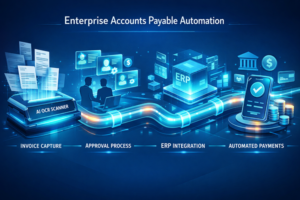
When the software is doing its job properly, scanning becomes the front door to a much bigger AP automation process. The invoice comes in, gets read, gets checked, gets routed, gets stored, gets paid. Smoothly, ideally. Or at least a whole lot more smoothly than the old routine of forwarding PDFs around and hoping someone remembers to approve them before Friday.
And this is also where the connection to invoice OCR becomes clearer. OCR is the data-reading engine inside the broader workflow. It’s what helps the system understand the invoice in the first place. But the full AP automation journey goes beyond recognition. It’s about what the business does with that information once it’s captured.
So let’s walk through it.
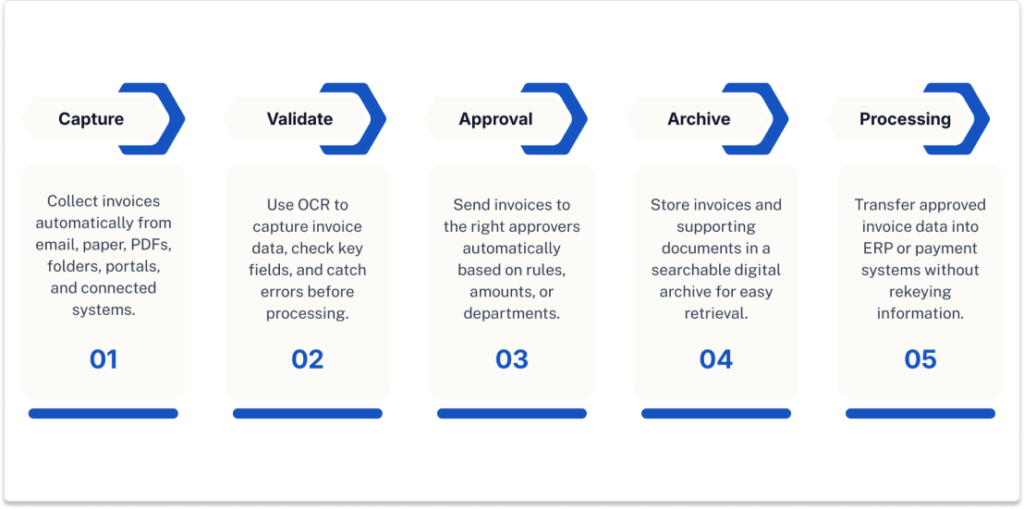
Step 1: Capture invoices from every source
Invoices rarely arrive in one neat, orderly stream. That would be too easy.
They come in through email attachments, scanned paper copies, PDFs dropped into folders, vendor portals, shared drives, sometimes directly from connected systems. A proper invoice scanning solution pulls from all of those channels without forcing AP staff to babysit the process.
That matters more than people think.
Because the minute a team has to manually collect invoices from five different places, the cracks start to show. Someone misses an attachment. Someone saves the wrong version. Someone forgets to upload a file before heading out for the weekend, and now the invoice just sort of… sits there.
Automated capture fixes that at the source. Every invoice enters the same workflow, no matter where it originated. That consistency is what makes the rest of AP automation possible.
Step 2: Extract and validate invoice data
Once the invoice is captured, the software has to do more than store an image. It needs to actually understand what it’s looking at.
This is where invoice OCR does its heavy lifting.
The system reads the invoice and extracts the important details—vendor name, invoice number, PO number, invoice date, line items, totals, tax amounts, the whole spread. Instead of someone typing those values by hand into the ERP, the software pulls them automatically.
But extraction alone isn’t enough. Not if you want clean downstream processing.
The data also needs to be validated. Does the invoice match an existing purchase order? Are required fields present? Is this invoice a duplicate? Does the math look right? Those checks are what keep bad data from rolling downhill into bigger AP headaches later.
So if the OCR page explains how invoice data gets read, this is the larger context: invoice scanning software uses OCR as one piece of a bigger automated process. The reading is crucial, yes—but it’s only step two.
Step 3: Route invoices for approval
After the invoice is captured and validated, it has to go somewhere. Usually to a person. Or three people. Or one person who’s somehow always “out of office.”
Approval routing is where AP automation starts saving serious time.
Instead of printing invoices, attaching them to emails, or manually figuring out who should review what, the system routes invoices automatically based on rules. Maybe approval depends on invoice amount. Maybe it’s tied to department, location, vendor, or cost center. Whatever the logic, the software applies it consistently.
And when teams are spread across multiple offices—or working remotely, or traveling, or simply hard to pin down—digital routing becomes even more important. Approvers can review invoices from wherever they are, not just from the desk where the paperwork happens to land.
That keeps invoices moving. Which, frankly, is half the battle in AP.
Step 4: Store invoices for retrieval and audit
Here’s the part that doesn’t always get enough attention until someone urgently needs a document from eleven months ago.
Every scanned and processed invoice should be stored automatically in a searchable digital archive, along with any supporting documentation, approval history, notes, and status records. Not tucked away in somebody’s inbox. Not buried in a folder called “AP Misc Final FINAL.” A real archive. Organized. Searchable. Usable.
This makes everyday work easier, of course. Vendor questions get answered faster. Internal teams can find documents without asking AP to go digging. Customer service can locate backup without setting off a small office scavenger hunt.
But it also matters for compliance.
When invoices and their approval records are stored together, the business has a much clearer audit trail. Who approved the invoice, when they approved it, what changed, what support was attached—it’s all there. That kind of visibility is one of the quieter benefits of automation, but it’s a big one.
Step 5: Send approved invoices to payment processing
Once the invoice is approved, the final step is getting it into the payment process without rekeying the same information all over again.
This is where AP automation stops feeling theoretical and starts affecting cash flow.
Approved invoice data can move directly into the ERP or payment system, where it’s scheduled for payment according to terms, discount opportunities, and internal controls. No extra handoff. No duplicate entry. No last-minute scramble because someone forgot to move the invoice from “approved” to “ready to pay.”
And that’s really the point of all this.
Invoice scanning software isn’t just about scanning. It’s about feeding a cleaner, faster, more reliable AP process from start to finish. Capture the invoice. Read it with OCR. Validate it. Route it. Store it. Pay it.
How to Choose the Best Invoice Scanning Software
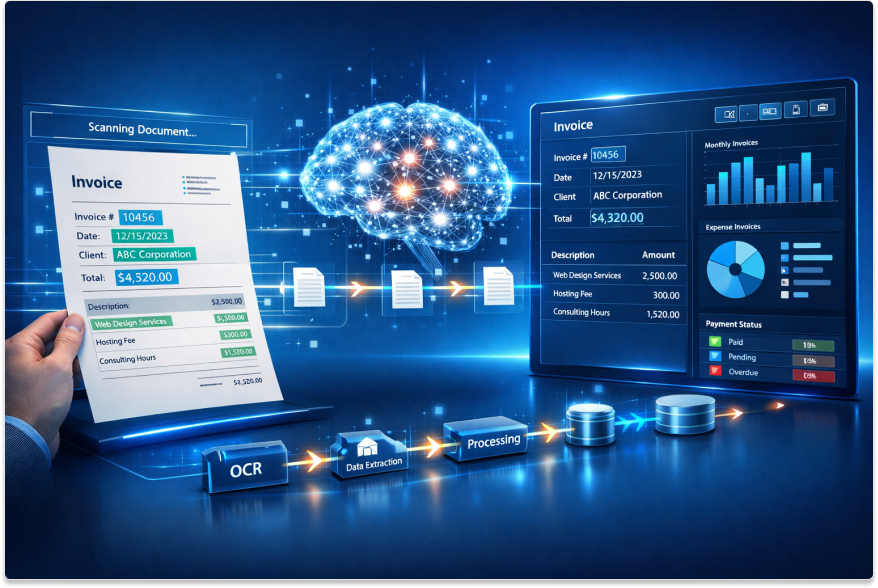
Choosing invoice scanning software sounds simple at first. Then you actually start looking.
Suddenly every vendor claims their platform is “intelligent,” “seamless,” and “end-to-end,” which usually means you’re three clicks away from a demo form and still not entirely sure what the software really does. It’s a bit like shopping for a mattress online—everyone promises comfort, nobody explains the bad parts.
So, yes, features matter. Of course they do. But the best invoice scanning software isn’t necessarily the one with the longest checklist. It’s the one that fits how your AP team actually works, right now, while still giving you room to improve the process later.
That distinction matters more than people think.
Look for ease of use
This one gets underestimated all the time.
Finance leaders may focus on capability, IT may focus on integration, procurement may focus on price—but the people who actually live in the system every day? They care whether it’s easy to use. Fair enough.
If invoice capture software feels clunky, confusing, or overly technical, adoption drops. AP staff find workarounds. Approvers delay responses. People go back to email threads and spreadsheets because, messy as those are, at least they know how to use them.
The software should make common tasks feel straightforward: reviewing captured data, correcting exceptions, approving invoices, finding archived documents. No maze of menus. No weird learning curve that requires three training sessions and a prayer.
A system that looks impressive in a demo but frustrates people in real life won’t help much. In fact, it can make things worse.
Prioritize accuracy and exception management
Here’s where a lot of buyers get distracted.
They see a clean scan, a crisp PDF, maybe a nice dashboard, and think, “Great, this works.” But image quality is only the beginning. The real question is whether the software captures the right data—and what it does when something goes sideways.
Because something always does.
Invoices are inconsistent by nature. Fields are missing. Totals don’t match. PO numbers are wrong. Vendors resend the same invoice with a different attachment name and suddenly AP is trying to figure out whether it’s new or duplicated. Fun times.
That’s why accuracy matters more than simple image capture. The software should reliably extract key invoice details and then validate them intelligently. And when exceptions appear, it shouldn’t just shrug and dump the problem on someone’s desk without context.
The better systems flag issues clearly, route them to the right person, and make correction fairly painless. Not glamorous, maybe, but incredibly important. Clean data keeps the entire AP process from getting gummed up downstream.
Choose software that integrates with your ERP
This is a big one. Maybe the big one.
If your invoice scanning software doesn’t integrate well with your ERP or accounting system, you may end up creating a second silo instead of solving the first one. And that’s the kind of mistake that looks manageable in month one and deeply annoying by month six.
The point of automation is to reduce manual work, not relocate it.
Captured invoice data should flow into the systems your finance team already uses, without forcing people to re-enter information or bounce between disconnected platforms. Vendor records, purchase orders, general ledger codes, approval data—those pieces should work together, not sit awkwardly in separate systems pretending they’re integrated because someone exports a CSV every Friday.
A strong ERP connection also reduces disruption. You shouldn’t have to rip apart existing financial processes just to add invoice automation. Good software fits into your environment. It doesn’t demand a total reset.
Think beyond scanning
This is where companies sometimes sell themselves short.
They go shopping for an invoice scanner and end up choosing a tool that scans documents beautifully… and then stops. Which, to be blunt, is not enough. Not anymore.
Scanning is only the first step. A useful solution should also support capture, data extraction, workflow, approvals, and document storage in one connected process. Otherwise, you’re just digitizing paper and calling it progress.
And sure, that’s better than filing cabinets. But only by so much.
The real value comes when invoices move smoothly from intake to approval to archive to payment, without staff having to manually push them along at every turn. That’s the difference between a scanning tool and an actual invoice digitizing solution. One creates files. The other creates momentum.
That’s the system worth investing in.
Evaluate scalability
What works for 150 invoices a month may fall apart at 1,500. Or 15,000.
So when evaluating the best invoice scanning software, it helps to think a little beyond your current workload. Not wildly beyond—no need to plan for a Fortune 500 operation if you’re not there—but enough to make sure the system can grow with your business.
Can it handle more invoice volume without slowing down? Can it support additional entities, locations, approvers, or business units? Can it adapt if your workflows get more complex, your vendor base expands, or your AP team takes on broader automation goals?
Those are not small questions.
A scalable platform gives you breathing room. It lets you start with invoice capture and then build toward broader AP automation over time—approval automation, payment workflows, maybe even supplier onboarding improvements down the road.
And that’s usually the smarter move. Buy for where you’re headed, not just where you happen to be standing today.
Because replacing an underpowered system a year later? That’s a headache nobody needs.
In the end, the best invoice scanning software is the one that your team will actually use, your ERP can actually work with, and your business won’t outgrow too quickly. Simple in theory. Slightly messier in practice. But if the platform is easy to use, accurate, connected, and built to scale, you’re already asking the right questions.
Why an Invoice Digitizing Solution Delivers Long-Term ROI
ROI doesn’t always show up with fireworks. Sometimes it arrives quietly—fewer hours wasted, fewer paper stacks, fewer little bottlenecks that eat up the day. Then, after a few months, someone in finance looks up and realizes the team is moving faster, chasing less, and not drowning in document scavenger hunts anymore.
That’s the thing about a good invoice digitizing solution. The payoff isn’t only in faster scanning. It’s in what stops happening afterward.
Less time spent searching for invoices
This one sounds small until you live it.
An invoice gets questioned. A vendor calls. Audit prep starts. Suddenly three people are poking around old email threads, shared drives, and an ERP note field that tells half the story and none of it cleanly. It’s tedious work. Also expensive, in a sneaky way.
ACOM’s document management materials make this point pretty bluntly: professionals can spend 50% of their time searching for information, and it can take an average of 18 minutes to locate a document. That’s not a workflow. That’s a slow leak in productivity. A centralized digital repository changes that. Instead of going on a document safari every time someone asks a question, AP teams can retrieve invoices in seconds using indexed fields, search terms, or linked records. Much better. Less muttering, too.
Lower storage and printing costs
Paper has a funny habit of multiplying when no one’s looking.
One invoice becomes two copies. Then three. One for AP, one for approvals, one for backup, one because someone “just wants a hard copy.” Before long, filing cabinets, boxes, off-site storage, reprints, toner, and admin time all become part of the cost of doing business. People forget that physical storage is still a cost center until it starts eating square footage and patience.
Digitizing invoices chips away at all of that. There’s less printing, less filing, less copying, less physical storage to manage. ACOM’s Santa Margarita Water District case study is a nice proof point here: after converting reports to electronic format, the organization estimated savings of about $50,000 per year, or $250,000 over five years, while also lowering printing costs and improving staff efficiency. That’s not pocket change. That’s real operational relief.
Higher AP productivity
This is where the long-term return starts to feel tangible.
When invoices are captured, indexed, routed, and stored digitally, AP staff stop spending so much time on clerical busywork. Less filing. Less retrieval. Less manual follow-up. Less “where did that go?” energy. More time for exception handling, cash planning, vendor communication, and the work that actually requires a human brain.
And honestly, that’s the part too many teams underestimate. Productivity gains don’t just come from doing things faster. They come from removing drag. ACOM’s materials consistently lean into that idea—faster retrieval, better efficiency, stronger process control, more reliable workflows. In the Santa Margarita example, EZContentManager improved staff efficiency by about 25%. That’s the kind of number finance teams notice, even if nobody throws a parade.
Better vendor relationships through timely processing
Vendors may never say it quite this politely, but they notice when your AP process is a mess.
They notice when invoices disappear into a black hole. They notice when approvals drag. They definitely notice when they have to call twice just to confirm receipt. And over time, slow, disjointed invoice handling can chip away at supplier trust—not dramatically, maybe, but enough to matter.
A well-run invoice digitizing solution helps keep documents moving and makes invoice status easier to track. That means fewer delays, faster answers, and more consistent payment handling. Vendors get clearer communication. AP gets fewer anxious follow-up emails. Everyone keeps their blood pressure a little lower.
And there’s another layer here. When invoices are easier to find and approval histories are easier to verify, disputes get resolved faster. That alone can make vendor relationships feel a whole lot less adversarial.
So yes, the ROI is financial. But it’s operational too. Human too, really.
In the end, an invoice digitizing solution pays off because it replaces document chaos with control. It cuts retrieval time, reduces paper and storage costs, improves staff efficiency, and builds a cleaner, more dependable AP process over time. Not flashy. Just useful. And in finance, useful tends to win.
Final Thoughts: Move From Invoice Scanning to Smarter AP Automation
Maybe that’s the simplest way to put it: invoice scanning software solves one problem, then quietly helps solve several more.
At first, the goal is straightforward. Capture invoices faster. Get rid of the manual entry slog. Stop losing documents in inboxes, shared drives, and those mysterious folders everyone swears are “organized.” Fair enough. That alone is worth doing.
But once the process is digitized, the bigger benefits start to stack up.
Invoices move faster because there are fewer manual touchpoints. Errors drop because data is captured and validated instead of retyped over and over. Visibility improves because AP teams can actually see where invoices are, who needs to approve them, and what’s holding things up. Costs come down too—less labor, less paper, less printing, less time spent tracking down documents that should never have been hard to find in the first place.
And that’s where the conversation gets more interesting.
Because invoice scanning software isn’t really the finish line. It’s the on-ramp. The first practical step toward broader AP automation—approval workflows, digital document management, cleaner ERP integration, and eventually smarter payment processing. In other words, scanning gets the invoices into the system, but automation is what turns that system into something useful.