There’s a quiet kind of chaos happening inside a lot of finance departments right now. You don’t see it from the outside—it’s not like servers crashing or alarms going off—but it’s there. Invoices piling up in inboxes. PDFs getting downloaded, renamed (badly, half the time), and shoved into folders that made sense… maybe three months ago. Someone’s chasing an approval. Someone else is retyping numbers from a document that already exists digitally. Again.
It’s oddly exhausting just thinking about it.
And here’s the thing—most companies know this is inefficient. They feel it. You’ll hear things like, “Yeah, it’s a bit clunky,” or “We’ve always done it this way.” Which, let’s be honest, is usually code for we don’t have the time (or patience) to fix it right now. Fair enough. Everyone’s busy. But still.
Manual invoice processing isn’t just slow—it’s sneaky-expensive. Not in a dramatic, headline-grabbing way. More like death by a thousand paper cuts. A few minutes here. A missed discount there. A duplicate payment that slips through because, well, humans get tired. It adds up. Quietly. Relentlessly.
And somewhere in the middle of all that… someone suggests automation.
Now, depending on who you ask, that word either sounds like a lifesaver or a headache waiting to happen. (“Great, another system to learn.”) But invoice automation—when it’s done right—is less about replacing people and more about… clearing the clutter. Removing the nonsense work. The copy-paste grind. The back-and-forth emails that shouldn’t exist in the first place.
It’s not flashy. It’s not revolutionary in a Silicon Valley kind of way. But it works.
And maybe—just maybe—that’s the point.
What is Invoice Automation?
So what is invoice automation, really? Not the buzzword version—the real, day-to-day, “what does this actually do for me?” version.
At its core, invoice automation is simply the process of taking all that manual, repetitive invoice work—the downloading, typing, routing, checking—and letting software handle it instead. Quietly. Consistently. Without needing coffee breaks or second guesses.
But it’s not just one step. It’s more like a chain reaction.
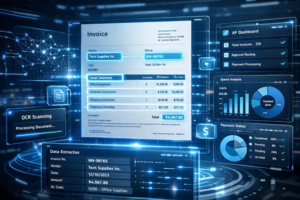
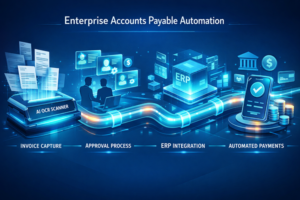
First, invoices are captured—whether they arrive as PDFs, emails, scanned paper (yes, those still exist), or even EDI feeds. Then comes the processing stage, where data gets extracted and organized automatically—no more re-keying invoice numbers or totals into your ERP at 4:57 PM on a Friday. From there, invoices move through approval workflows, routed to the right people based on rules, not guesswork. And finally—payment—clean, accurate, and on time.
Simple in theory. Surprisingly powerful in practice.
Now, where ACOM fits into this—it’s not just one tool doing one job. It’s more of a connected system. AP Automation handles the workflow, EZContentManager keeps documents organized and instantly accessible, and EZConnect makes sure everything talks to your ERP without awkward data handoffs or delays.
No swivel-chair data entry. No silos.
And that’s really the point. Invoice automation connects documents, data, and payments into one streamlined workflow.
The Biggest Problems with Manual Invoice Processing
Here’s where things start to unravel a bit.
Manual invoice processing sounds harmless enough—almost quaint, like balancing a checkbook or keeping receipts in a shoebox. But in practice? It’s messy. And not the charming kind of messy.
Take manual data entry. Someone has to open an invoice, read it, and type those details into the system. Over and over. It’s tedious work, which means mistakes creep in—numbers get flipped, decimals wander off, vendor names get… creative. And all that time? It’s expensive. Labor costs stack up fast, especially when you’re processing hundreds or thousands of invoices a month.
Then there’s the issue of lost or misfiled invoices. It happens more than people admit. An email gets buried. A PDF gets saved in the wrong folder. Suddenly, a payment is late—and now you’re fielding awkward calls from vendors wondering where their money is. Not a great look.
And approvals? Don’t get me started. Approval bottlenecks are practically a rite of passage in AP departments. An invoice sits in someone’s inbox while they’re out sick—or just busy—and everything downstream slows to a crawl. Discounts get missed. Relationships get strained. It’s frustrating, honestly.
Maybe the biggest problem, though, is the lack of visibility. When everything is manual, there’s no clear picture of what’s pending, what’s approved, or what’s overdue. Cash flow becomes… guesswork. And that’s risky.
Oh—and one more thing. Manual processing doesn’t just feel slow. It is slow. In many cases, it can take days—or even weeks—to fully process a single invoice. Weeks. Let that sink in for a second.
Top Invoice Automation Benefits
Alright—this is where things get interesting. Because once you move past the theory and actually see what changes with automation… it’s hard to go back.
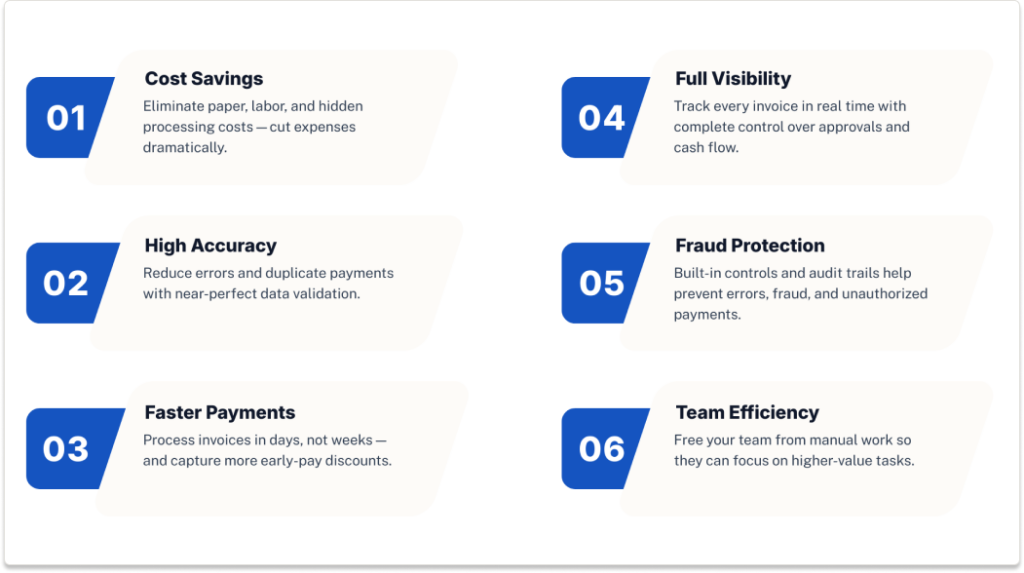
Reduce Invoice Processing Costs
Let’s start with the obvious one—money.
Manual invoice processing is expensive in all the quiet ways: labor hours, printing, storage, postage (yes, still), and the occasional “where did this invoice go?” fire drill. It adds up. Quickly.
With invoice automation, a lot of that just… disappears. No more printing stacks of invoices. No more filing cabinets eating up office space like it’s 1998. And far less time spent on repetitive data entry.
Companies regularly cut invoice processing costs by up to 75%, which sounds dramatic—but honestly, once you remove all the manual touchpoints, it makes sense.
Less paper. Less labor. Less waste.
Increase Accuracy (Near 99%)
Humans are great at a lot of things. Typing invoice data perfectly, hundreds of times a day? Not one of them.
Automation flips that script. Data gets extracted, validated, and matched automatically, which means fewer errors—fewer duplicate payments, fewer mismatched numbers, fewer awkward corrections later.
We’re talking near 99% accuracy in many cases.
And that accuracy matters beyond just “getting it right.” It strengthens compliance, makes audits far less painful, and—this is underrated—builds trust internally. People stop second-guessing the numbers.
Faster Processing Cycles
This one’s a bit of a game changer.
Remember how manual processing can take weeks? Automation shrinks that timeline down to days—or even hours, depending on the setup. Invoices move through capture, approval, and payment without sitting idle in inboxes.
And speed isn’t just about efficiency—it’s about opportunity.
Faster processing means you can actually take advantage of early payment discounts instead of watching them slip by because approvals got stuck somewhere along the way. It’s one of those benefits that feels small until you realize how much money you’ve been leaving on the table.
Improve Visibility & Control
Here’s something most teams don’t realize they’re missing until they have it—clarity.
With automation, you can see exactly where every invoice stands. In real time. No guessing. No digging through emails or chasing updates.
Pending. Approved. Paid. Overdue.
It’s all there.
That kind of visibility makes cash flow management a lot less stressful. You’re not estimating—you actually know what’s coming and going. And for finance teams, that’s huge.
Reduce Fraud Risk
Fraud is one of those topics nobody loves talking about… until it becomes a problem.
Manual processes leave gaps—small ones, but enough. Automation closes those gaps with built-in controls, approval rules, and audit trails that track every action.
Who approved what. When. Why.
Some organizations report up to a 90% reduction in payment fraud risk after automating. That’s not just a nice-to-have—that’s peace of mind.
Increase Productivity
And then there’s the human side of all this.
When you remove the repetitive, low-value tasks—data entry, chasing approvals, fixing errors—people get their time back. Real time. The kind they can actually use to focus on more strategic work.
Analyzing spend. Improving vendor relationships. Planning.
Or, honestly, just not feeling buried under a pile of invoices every day.
Benefits of Automated Invoice Processing (Deeper Dive)
There’s a phrase you’ll hear tossed around a lot in this space: touchless processing. Sounds a bit futuristic, maybe even overhyped. But in reality, it just means invoices move through the system without someone needing to poke at them every step of the way.
No typing. No forwarding emails. No double-checking fields that were already correct to begin with.
And honestly? That’s a big deal.
Because once invoices are captured and processed automatically, everything else starts to fall into place. Workflows become standardized—not dependent on who’s in the office that day or how someone thinks the process should go. Rules are rules. The system follows them every time. No improvisation, no “I’ll just handle this one differently.”
Then there’s the integration piece. This is where things either work beautifully… or fall apart.
In a lot of companies, systems don’t really talk to each other. The ERP lives in one corner, documents in another, approvals somewhere else entirely. So what happens? People become the “connectors”—copying data from one system to another. Re-keying. Rechecking. Repeating.
It’s a bottleneck. A frustrating one.
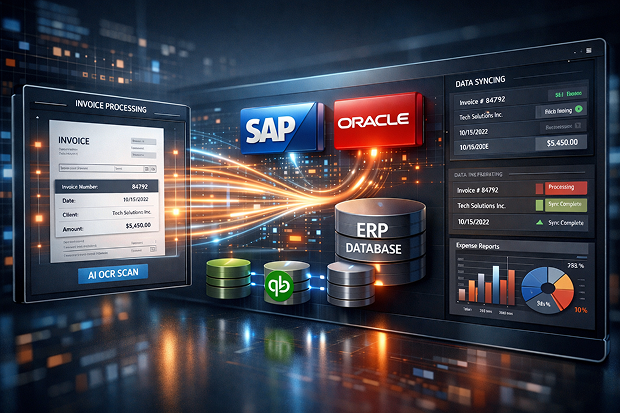
With proper automation—especially when paired with integration tools like EZConnect—that gap disappears. Data flows directly into the ERP. No re-entry. No translation errors. Just… clean handoffs.
And as invoice volumes grow (which they always do), the system scales with it. Processing 50 invoices or 5,000 doesn’t require hiring more staff—it just requires letting the system do what it was built to do.
Which, when you think about it, is kind of the whole point.
Invoice Automation Implementation: What to Expect
Here’s the part nobody really tells you upfront—invoice automation implementation isn’t some massive, months-long IT ordeal anymore. It used to be, sure. These days? It’s… different. Faster. A bit less painful than people expect.
At a high level, the process follows a pretty logical flow.
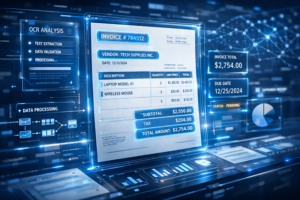
Invoices come in—email, PDFs, even paper if you’re still dealing with that—and get captured automatically. From there, data extraction kicks in, usually powered by OCR or AI, pulling out key details without someone squinting at a screen and typing them in line by line.
Then things start moving.
Invoices are routed through workflows, approvals happen based on rules (not memory or sticky notes), and eventually everything ties into payment systems—clean, connected, and, ideally, drama-free.
Sounds straightforward. And mostly, it is.
But—there are a few bumps people run into.
ERP integration can feel intimidating, especially if you’re working with older systems. Supplier onboarding takes a bit of coordination. And then there’s the human side—change management—which is really just a polite way of saying, “people don’t always love new processes at first.”
Totally normal.
This is where we tend to stand out. Our approach leans heavily on seamless ERP integration, which means you’re not ripping out what already works. Deployment is relatively quick, and—this part matters—we don’t disrupt your existing workflows while everything gets up and running.
And here’s something worth noting: when automation is tied directly to payments, ROI doesn’t take forever to show up. In many cases, businesses start seeing returns… sooner than expected. Weeks, not years.
Which, frankly, makes the whole decision a lot easier.
Automated Invoice Auditing Benefits
If manual invoice processing is messy, auditing it manually is even worse. It’s slow, it’s tedious, and—if we’re being honest—it’s easy to miss things. Small things. Expensive things.
With automation, though, auditing becomes less about chasing problems and more about preventing them in the first place.
At the core is automatic validation. Every invoice is checked against its corresponding purchase order—and, when needed, the receipt. That’s your classic 2-way or 3-way matching. But instead of someone manually comparing line items (and maybe glazing over halfway through), the system does it instantly. Every time.
And it doesn’t stop there.
Automation can flag pricing discrepancies, catch duplicate invoices before they get paid, and surface potential compliance issues that might otherwise slip through unnoticed. It’s like having a second set of eyes—except this one doesn’t get tired or distracted.
The business impact? Pretty straightforward.
Fewer disputes with vendors. Cleaner, faster audits. And perhaps most importantly, greater financial accuracy—which, in a world where small errors can snowball quickly, matters more than most people realize.
It’s not about adding complexity. It’s about removing uncertainty.
Use Case: Equipment Rental Companies
Equipment rental businesses live in a world of controlled chaos. Things move. Equipment gets used, returned, extended, billed differently depending on timing, location, or contract terms… it’s not exactly simple.
And invoices? There are a lot of them.
You’re dealing with high volumes, often across multiple sites, vendors, and job locations. On top of that, billing isn’t straightforward. It’s tied to usage, duration, fuel charges, late fees, damage adjustments—sometimes all on the same invoice. It’s layered. Messy. Easy to get wrong.
Which is exactly what happens with manual processing.
Errors creep in. A rate gets misapplied. A duration is off by a day. Payments get delayed because something “doesn’t look right,” and now someone has to dig through paperwork to figure it out. Meanwhile, revenue leakage quietly eats away at margins—small inaccuracies that don’t seem like much until you multiply them across hundreds of transactions.
Automation changes that dynamic pretty quickly.
With automated auditing in place, rental charges are validated automatically—line by line, against agreed terms. Reconciliation happens faster, without the back-and-forth. Disputes—both with suppliers and customers—drop off because the numbers are consistent and traceable.
And maybe most importantly, teams gain real-time visibility into costs and billing, which is something many rental businesses operate without (or piece together manually).
This is exactly the kind of environment we built our solutions for.
We help automate high-volume, complex invoice workflows—while ensuring accuracy across multiple systems that weren’t originally designed to work together.
Which, in this space, makes a bigger difference than you might think.
Integration: The Missing Piece in Invoice Automation
You can automate invoice capture. You can streamline approvals. You can even automate payments. But if your systems aren’t connected? You’re still stuck.
This is the reality for a lot of organizations. The ERP sits in one corner, AP workflows in another, documents somewhere else entirely. None of them really talk—at least not without someone stepping in to bridge the gap.
So what happens?
Manual re-entry. Copying data from one system to another.
Errors. Because humans, understandably, aren’t perfect.
Delays. Because every extra step slows things down—just enough to matter.
It’s a bottleneck hiding in plain sight.
This is exactly where EZConnect comes in. It enables real-time data exchange between systems—whether you’re working with EDI, XML, APIs, or flat files. It doesn’t really care what format your data is in; it just makes sure it moves where it needs to go. Cleanly.
The result? Companies often see a 70%+ improvement in data accuracy, simply by removing the need for manual handoffs.
And here’s the part that’s easy to miss:
Automation without integration still creates bottlenecks—true efficiency comes from connecting your systems.
ROI of Invoice Automation
Let’s start with the obvious: cost savings.
Manual processing eats up time—hours of it, every week. When you reduce or eliminate that effort, labor costs drop. Processing costs drop. All those small inefficiencies that used to blend into the background suddenly become very visible… mostly because they’re gone.
And it’s not just about saving money—it’s about unlocking it.
Faster processing means you can consistently capture early payment discounts that used to slip through the cracks. Add in potential rebates from electronic payments, and now your AP function isn’t just a cost center—it starts contributing real value back to the business. Which, honestly, still surprises some finance teams.
Then there’s productivity.
When staff aren’t buried in manual tasks, they can shift focus. Analyze spend. Improve vendor relationships. Work on things that actually move the business forward instead of just keeping it running.
And the numbers? They add up quickly.
It’s not uncommon for organizations to save thousands—sometimes tens of thousands—annually just by reducing manual invoice processing alone. Not from one big change, but from dozens of small improvements working together.
Which, in the end, is how most meaningful ROI actually happens.
Conclusion
At this point, the pattern is pretty clear. Invoice automation reduces costs—sometimes dramatically. It cuts down errors, speeds up processing, and gives teams visibility they didn’t even realize they were missing. And as businesses grow, it scales without requiring more people, more paperwork, or more late-night “where is that invoice?” moments.
But maybe the bigger takeaway is this: sticking with manual processes isn’t neutral. It’s not “fine for now.” It’s actively holding things back—slowing decisions, increasing risk, quietly draining resources.
And that’s becoming harder to justify.