Businesses generate an enormous amount of financial data every day. Bank statements and credit card statements contain valuable information, but manually entering that data into spreadsheets or accounting systems is slow and repetitive.
That’s why more organizations are turning to bank statement extraction software. Instead of spending hours copying transaction details, finance teams can automatically extract, organize, and validate financial data in minutes.
Whether you’re reconciling accounts, preparing reports, or reviewing expenses, the right software can reduce manual work while improving accuracy.
What Is Bank Statement Extraction Software?
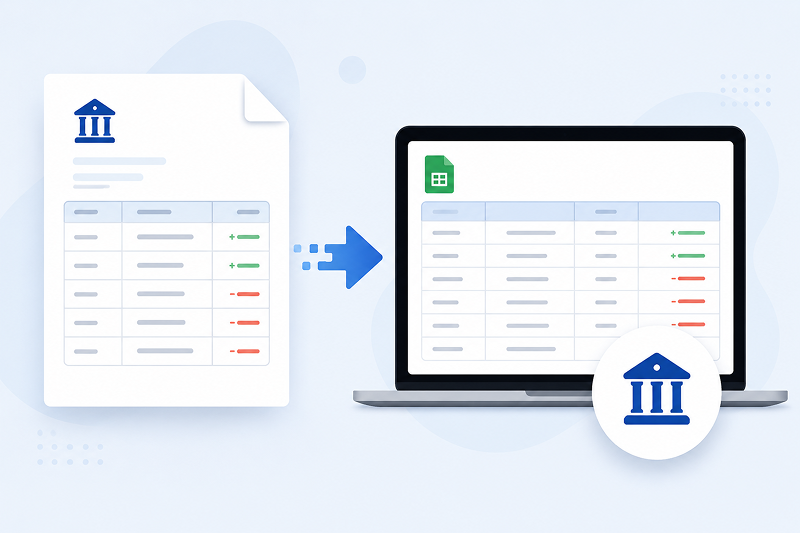
Bank statement extraction software automatically captures transaction data from bank statements and converts it into structured information that can be used by accounting or finance systems.
Rather than simply displaying a PDF, the software identifies important details such as transaction dates, descriptions, deposits, withdrawals, balances, and account numbers.
Modern financial data extraction software can process documents in several formats, including:
- PDF bank statements
- Scanned paper statements
- Digital statements from online banking
- Credit card statements
The extracted data can then be exported into Excel, CSV files, ERP systems, or accounting software for further processing.
How Does Bank Statement Extraction Work?
Although the technology behind it is sophisticated, the process is surprisingly simple.
1. Scan Bank Statements or Upload Digital Files
Most solutions allow users to scan bank statements or upload existing PDF files.
Many platforms also support email attachments, scanned images, and documents captured from mobile devices.
2. OCR Reads the Document
Optical Character Recognition (OCR) converts printed or scanned text into digital text that software can read.
Without OCR, every transaction would still need to be entered manually.
3. AI Identifies Financial Information
OCR only recognizes text. Modern bank statement extraction software goes much further.
Artificial intelligence identifies transaction dates, merchant names, balances, payment amounts, deposits, withdrawals, and other financial information while understanding where each value belongs.
This significantly reduces the amount of manual correction required.
4. Export Structured Data
Once the data has been extracted, it can be exported into accounting software, spreadsheets, reconciliation tools, or ERP systems.
Instead of manually retyping hundreds of transactions, finance teams receive clean, structured data that’s ready to use.
Why Manual Bank Statement Processing Is So Expensive
Many finance teams still rely on manual data entry because that’s how the process has always been done.
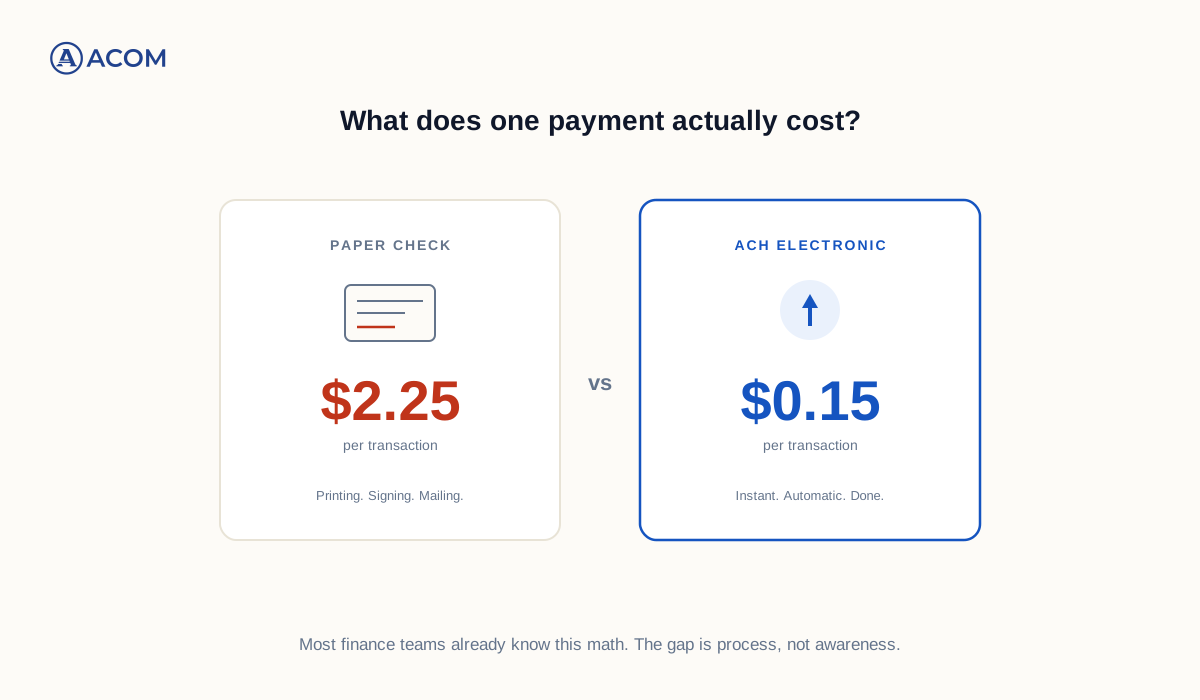
Unfortunately, manual work doesn’t scale well as transaction volumes increase.
Employees spend hours reviewing statements, entering transaction details, verifying totals, and correcting mistakes. Even small typing errors can create reconciliation issues that take additional time to resolve.
Manual processing also makes it harder to maintain consistency across multiple bank accounts, departments, or business entities.
What to Look for in Bank Statement Scanning Software
Not all bank statement scanning software offers the same capabilities.
When evaluating solutions, consider these features.
High Extraction Accuracy
Accurate data capture reduces the need for manual corrections and helps finance teams trust the results.
AI-Powered Recognition
Modern AI understands financial documents rather than simply reading text.
This helps distinguish between dates, balances, transaction descriptions, taxes, and payment amounts.
Support for Multiple Financial Institutions
Businesses often work with multiple banks and financial institutions.
A good solution should handle different statement layouts without requiring extensive manual setup.
Flexible Export Options
Look for software that exports data directly into the systems your team already uses.
Support for Excel, CSV, ERP platforms, and accounting software can eliminate additional manual work.
Audit and Validation Features
Validation tools help identify duplicate transactions, missing values, or inconsistencies before the data reaches downstream systems.
What About Credit Card Statements?
A credit card statement scanner works much like bank statement extraction software.
The difference is that it focuses on extracting merchant names, transaction dates, payment amounts, taxes, and expense details from credit card statements.
This information can then support expense reporting, financial analysis, and reconciliation without requiring manual entry.
For organizations managing large volumes of corporate card transactions, automated extraction can save many hours each month.
Who Benefits Most from Financial Data Extraction Software?
Almost any organization that processes financial documents can benefit from automation.
Some of the biggest gains are seen by:
- Accounting teams
- Accounts payable departments
- Financial services firms
- Manufacturers
- Distributors
- Retail organizations
- Companies processing high transaction volumes
The larger the volume of financial documents, the greater the opportunity to reduce manual work.
AI Is Taking Financial Document Processing Further
Extracting data is only the first step.
Finance teams still need to verify transactions, reconcile accounts, and investigate exceptions.
This is where AI is beginning to change financial operations.
Instead of simply reading documents, intelligent systems can compare extracted information, apply business rules, identify missing data, and flag unusual transactions for review.
The result is less manual validation and faster financial workflows.
Beyond Bank Statement Extraction
Many organizations discover that the same technology used to extract financial data can also automate other accounting documents.
Invoices, purchase orders, receipts, remittance advice, and payment records all contain structured financial information that can be processed using similar AI-powered techniques.
Solutions such as ACOM’s AutoLedger build on this concept by combining intelligent document extraction with AI-based validation and workflow automation. Rather than only capturing information, they also help finance teams verify data, identify exceptions, and prepare documents for downstream accounting processes. This approach reduces repetitive manual work while improving overall accuracy.
As AI continues to improve, organizations are moving beyond simple OCR toward intelligent document processing that supports the entire financial workflow.
Final Thoughts
Manual financial data entry is one of the most repetitive tasks in accounting.
Modern bank statement extraction software helps eliminate much of that work by converting financial documents into structured, usable data in minutes rather than hours.
As organizations continue investing in AI-powered automation, financial document processing is evolving beyond simple OCR. The next generation of tools not only extracts information but also validates it, applies business rules, and helps finance teams work more efficiently without sacrificing accuracy.